Restaurant SEO helps people discover your restaurant when they search for a place to eat, a particular cuisine, or a meal nearby. It combines an accurate Google Business Profile with a useful website, current menus, genuine reviews, and a clear way to reserve a table or place an order.
The practical goal is to help someone move from a search to a decision. A diner checking lunch options needs different information from someone organizing a private dinner. Both should be able to find the right menu, understand where and when you serve it, and take the next step without guessing.
This guide is for US restaurant owners and marketing teams. It covers local SEO for restaurants, menu and location pages, reservations, ordering, measurement, and what to ask a restaurant SEO agency. Start with the information and actions diners need before investing in a large content calendar.
Match restaurant searches to the right pages
People may search by cuisine, dish, neighborhood, occasion, or the restaurant's name. Look at your available Search Console queries, questions staff receive, and the services you actually offer. Use those inputs to decide which pages deserve attention.
These examples illustrate search intent. They are not verified search-volume estimates or a recommendation to offer every service listed.
| Example search | What the diner needs | Useful destination |
|---|---|---|
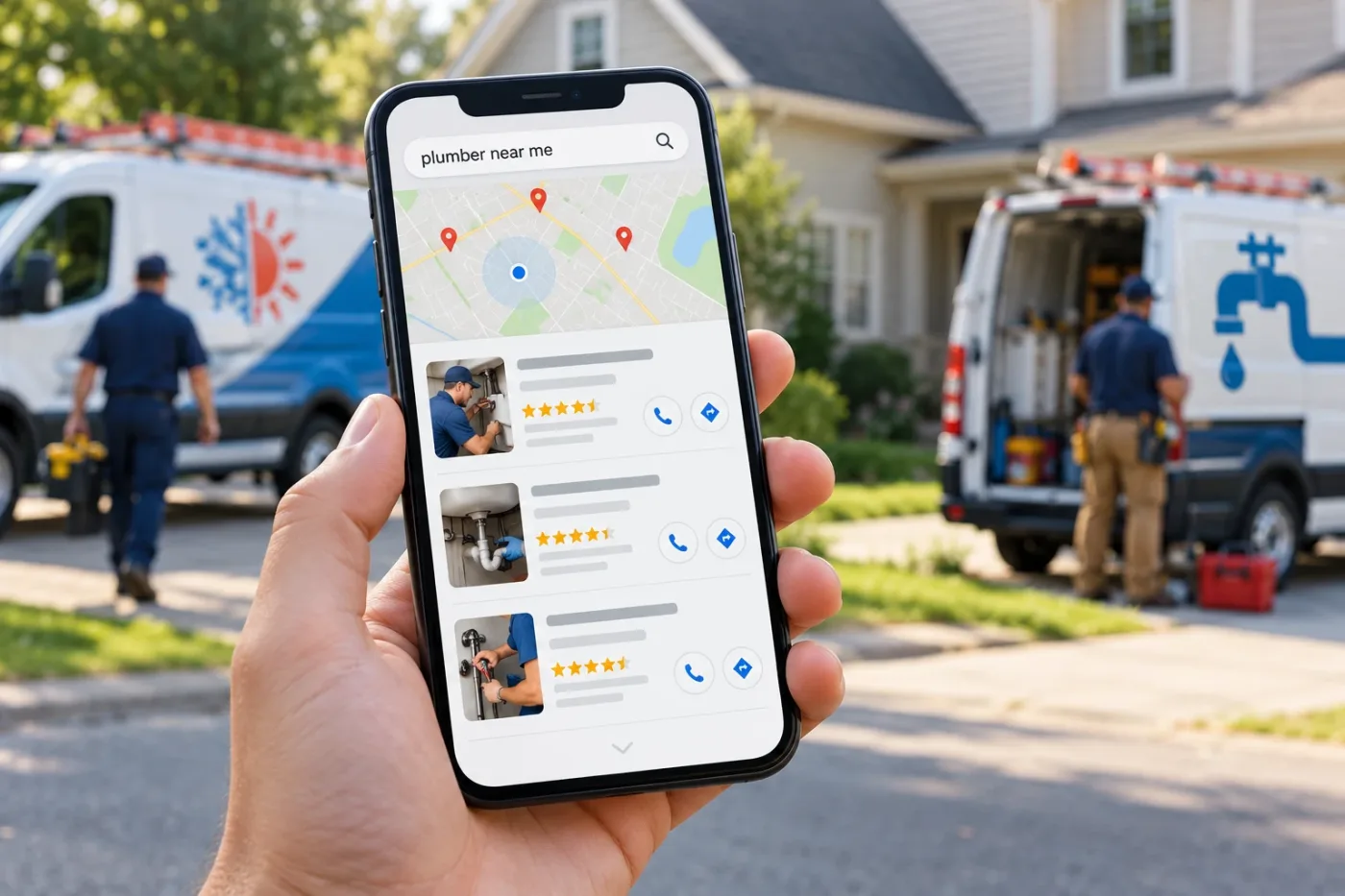
| Italian restaurant near me | Find a nearby restaurant and assess the fit | Main restaurant or location page |
| Example Bistro menu | Check dishes, prices, and availability | Current menu page |
| Brunch in Austin | Find a restaurant serving brunch in that area | Brunch information with real service days and hours |
| Private dining Austin | Understand space, group arrangements, and inquiries | Private dining page, if the restaurant offers it |
| Example Bistro takeout | Order from the correct restaurant | Ordering page with pickup details |
Map each distinct need to one useful destination. A small restaurant can often answer several related questions on its main page and menu page. Create a separate page when the service needs more explanation, such as private dining or catering, and you can provide actual details.
Use cuisine and location terms where they describe the restaurant naturally. A fictional page title is "Italian Restaurant in East Austin | Example Bistro." Avoid repeating a neighborhood in every sentence or calling the restaurant the city's best without a clear basis.
SEO also has limits. Google's local ranking guidance describes relevance, distance, and prominence. Reviews and links can contribute to prominence, but location still matters. A restaurant cannot expect the same Maps position for every diner across a city.
Make your Google Business Profile accurate
Keep the restaurant's profile under the business's control. Check verification, the real business name, street address, phone number, website, and available categories. Choose categories that describe the actual business; do not add extra keywords to the name solely to influence rankings.
Follow Google's business representation guidelines. For restaurants, Google says to use dine-in hours where applicable, otherwise takeout hours, followed by drive-through or delivery hours if the earlier options do not apply. Check holiday exceptions and use relevant additional service hours where available. Explain a split lunch and dinner schedule clearly on your website too.
Keep attributes such as outdoor seating and accessibility accurate where you publish them. Show the actual entrance, dining room, and location in approved photos. If a kitchen closes before the venue, explain the distinction so someone arriving later does not expect a meal you can no longer serve.
For multiple branches, check each genuine location separately and connect its profile to the relevant location page. A nearby town does not become another restaurant location because you want to rank there. Delivery businesses and virtual food brands have additional eligibility rules; check the applicable guidance before creating profiles for them.
RankVigor's Google Maps ranking guide provides broader local-search context. Use Google's current documentation for profile eligibility and feature rules.
Publish a menu diners can read on a phone
Give your website a menu page with readable text, clear sections, and current information. Diners should be able to see what is available without downloading a large file, zooming into a photograph, or opening an ordering account first.
A PDF is not automatically an SEO problem: Google lists PDFs among its indexable file types. A readable HTML menu is still a useful primary experience because you can connect dishes, service times, and ordering actions on the page. Keep a downloadable menu if it helps customers, and update both versions together.
Check the following before publishing a menu update:
- Dish names and descriptions match what the kitchen serves.
- Prices and any applicable terms are accurate and clearly explained.
- Breakfast, lunch, dinner, and seasonal menus are labelled appropriately.
- Service days and times are visible where availability differs.
- Dietary labels are confirmed by the restaurant team rather than inferred from a photo.
- Customers know how to ask staff about ingredients or dietary requirements.
- The menu links to the correct reservation or ordering action.
- Someone is responsible for updating it when dishes or prices change.
Use the same source of approved menu information for the website, ordering provider, and Business Profile. Google's menu editor guidance explains menu items, descriptions, prices, and menu links. Check the options available to your profile rather than assuming every restaurant has the same controls.
Link to a representative full menu, not just a selection of popular dishes. If dinner is the main linked menu, give diners a clear route to other relevant meal menus. After a change, inspect the menu customers actually see on the profile and ordering platform. If Google shows multiple menu sources and offers a preferred-source control, select the current approved source and check its public display. Saving an edit does not establish that every destination is already current.
Give each real location useful dining information
A location page should help someone plan a visit. Include the accurate address, contact details, customer-facing hours, menu, and available reservation or ordering links. Explain parking, public-transit access, the entrance, and practical arrangements you can verify.
For a restaurant group, say which menu and services belong to each branch. A central brand page can introduce the group; a branch page should answer questions about that particular venue. If only one location serves brunch or has a private room, make that clear before someone books at another branch.
Build links between the relevant location, menu, reservation, and private dining pages. Put these links where they help a diner act. A private dining page can explain group sizes, the inquiry process, and who confirms availability, then connect to the relevant venue and menu information.
For nearby areas, explain the real restaurant people would visit. Avoid producing dozens of pages that change only a city name. Google's spam policies address doorway pages created around similar searches that funnel people elsewhere.
If your restaurant is inside a hotel, hospitality SEO should still make its dining information easy to find. SEO for hotels also serves room and stay searches, so a hotel booking page cannot answer every dining question. Google's representation guidelines include separate-profile guidance for restaurants in hotels; check the actual venue's eligibility and details rather than treating the hotel profile as interchangeable with the restaurant.
Make reservations and ordering work from search
Test your main actions on a phone. Start at the restaurant's search profile, open the menu, and follow the reservation or ordering link. Check the selected branch, date, party size or pickup time, and the final confirmation. For a live system, coordinate testing with staff and use a sandbox or approved test method to avoid accidental bookings or charges.
Label the action accurately. "Reserve a table" should lead to a reservation process. A group inquiry form should explain that staff confirm availability later. State relevant deposits, cancellation terms, and arrangements for larger parties before the diner commits.
Ordering needs its own checks. Can the customer distinguish pickup from delivery? Does the destination use the correct menu, branch, address, and operating hours? Are fees and the promised fulfillment time clear before the order is submitted? Make the route to contact staff visible if there is a problem.
Google's business-link guidance covers menu and transaction links, including links from third-party providers. Audit the public links you see rather than assuming every action leads to your own website. Where the option is available, manage your preferred ordering provider and correct unwanted or inaccurate providers through the supported process.
A click on an external ordering or booking link shows that someone started a journey. Treat it as a completed order or reservation only when you have reliable confirmation from the relevant system.
Use photos that help diners assess the restaurant
Use genuine photographs of your food, dining room, entrance, and any important facilities. Show portions and presentation that reflect what a customer can actually order. Update images when a seasonal dish or layout changes, and obtain permission before using identifiable staff or customer photos.
Food photos belong beside the relevant menu or service information. A few clear images can answer useful questions about the atmosphere and dishes; a large gallery should not bury the menu or booking button. Keep the essential information readable as text.
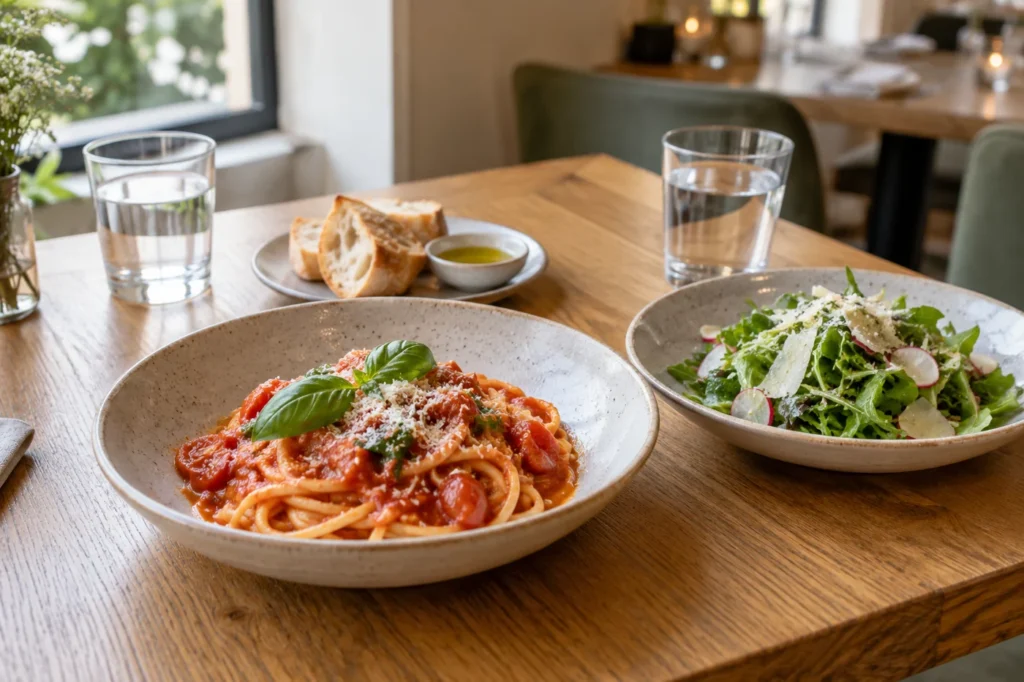
Google's image guidance recommends relevant surrounding content and descriptive alt text. Describe the image plainly rather than filling alt text with cuisine and city keywords. Resize large files for the web and check that images load without making the menu difficult to use.
Clearly disclosed illustrative images can support a general article like this one. On a real restaurant's website, use actual food and venue images when showing what diners can expect. A generated dish should not imply that the kitchen serves that exact item or portion.
Invite honest reviews and earn relevant mentions
Make review requests neutral and optional after a genuine visit or order. Google's review policy prohibits incentives and selective solicitation of positive reviews. Do not exchange a free dessert for a review or send only happy diners to Google while redirecting others to a private form.
You can say, "If you would like to share your experience, you can leave an honest review here." Avoid asking for five stars or telling diners which dishes and keywords to mention. Answer feedback professionally and move order details or personal information into an appropriate private conversation.
Check the listings diners actually use, such as Yelp, Tripadvisor, Apple Maps, Bing Places, and your reservation and delivery platforms, for old menus, wrong phone numbers, duplicate locations, and broken website links. Seek relevant local coverage when there is a real story, event, or community partnership. A useful mention should help its audience learn about the restaurant; buying a large batch of unrelated directory links is a poor substitute.
For paid features or sponsored links, follow Google's outbound-link qualification guidance. Google prefers rel="sponsored" for paid placements and also accepts rel="nofollow". Agree on accurate restaurant details before a partner publishes them.
Check website access and Restaurant structured data
Confirm that your important menu and location pages are accessible and intended for indexing. In the correct verified Search Console property, enter the complete URL into URL Inspection. Read the Page indexing explanation and investigate problems before publishing more pages. For indexed pages, check the Google-selected canonical, the URL Google treats as the main version. If it unexpectedly points to another branch or an old menu, ask the developer to review redirects and canonical settings. The live test checks the current page; it does not establish indexing or predict which canonical Google will select.
Check unintended noindex settings, broken links, redirects, and the platform's existing sitemap. Preserve useful URLs when updating menus rather than creating a new address for every minor change. Test the navigation, text size, menu, and reservation path on mobile. Ask the developer to investigate slow or inaccessible elements where they affect the experience.
Structured data should describe the real venue and visible information. Google's LocalBusiness documentation recommends the most specific appropriate type, such as Restaurant, and requires name and physical address for its LocalBusiness rich-result eligibility. Confirm accurate location details and relevant menu, cuisine, and opening-hours information. Have the developer check existing output before adding another markup block. Validate the relevant restaurant page with Google's Rich Results Test, fix critical errors, and check again after deployment. Passing the test does not guarantee a rich result.
Do not expect testimonials on your own website to produce review stars. Google's review snippet guidelines exclude self-serving LocalBusiness and Organization reviews, including embedded third-party widgets. Useful reviews and valid markup do not guarantee a search feature or a higher Maps position.
Measure reservations and orders with clear definitions
Use Search Console's performance report to review search queries and clicks to important pages. Separate searches for the restaurant's name from cuisine or area discovery where the available data allows it. Use consistent date ranges and note which pages changed.
Business Profile performance can include organic and Google Ads activity. Call-button clicks are not confirmed phone conversations, and direction requests do not establish that someone dined at the restaurant. Keep these interactions separate from operational outcomes. Where the profile reports a Bookings metric, Google defines it as completed bookings managed through a booking provider. This differs from booking-link clicks, and the metric is not available for every setup. Confirm what your provider reports.
Where your systems support it, compare booking-link clicks, confirmed reservations, cancellations, and seated parties. Track completed pickup or delivery orders separately. A reservation for four people is one reservation and a party of four; decide which measure you are reporting rather than adding them together.
Third-party platforms may not share the complete journey. Label unknown sources and distinguish customer-reported discovery from sources assigned through tracking. Do not attribute every reservation after an SEO change to organic search. Keep customer contact and payment information out of ordinary marketing events; share aggregate reporting where possible.
Compare the same group of reservations when reporting attendance. A booking made this month may be for next month, so this month's new bookings and seated parties can describe different groups. Account for capacity, weather, seasonality, promotions, and other marketing before assigning a change to SEO.
Set practical priorities for the first month
Start with the basics that can stop a diner acting: profile ownership, inaccurate hours, an outdated menu, or a broken reservation or ordering link. Record a baseline, collect staff observations, and fix access and action problems before expanding content.
Then improve one priority page, usually the main menu or location page. Confirm the restaurant details with the responsible staff member. Once blocking technical issues and the action path are resolved, publish the changes and inspect the page. Keep a record of the URL, change, owner, and review date.
Next, align important menu and listing information, and establish a neutral review-request routine. If a distinct service such as private dining needs a page, gather real details and publish it when the restaurant can support the inquiries it receives.
End the month with concrete deliverables: a corrected profile, a current menu, a tested reservation or ordering route, and a dated change log. Review search visibility alongside confirmed operational outcomes. This is a work sequence, not a promise to fill tables or reach a particular ranking within thirty days.
Choose a restaurant SEO agency by scope and evidence
A restaurant team can maintain basic hours, menus, and photos internally. A restaurant SEO agency can help when technical problems, multiple locations, content work, or reporting exceed the team's capacity. Restaurant staff should still approve menus, availability, and operational claims.
Ask the agency to explain which searches it will target, which pages it will improve, and how changes connect to reservations or orders. Request a sample report with confidential client details removed. Check whether it distinguishes profile interactions from confirmed transactions and explains gaps in third-party data.
Compare the actual scope. Who updates the website, profile, menus, and provider links? Are implementation, photography, and copy changes included? What costs extra? Keep SEO fees separate from advertising spend, booking software charges, and ordering commissions. Retain control of the domain, website, profile, and reporting accounts.
Agree on the first deliverables, the restaurant's approval responsibilities, reporting definitions, and account access before work begins. Evaluate evidence relevant to your venue and market. Ask what supports any claimed dining results and how they were attributed to SEO; a ranking guarantee does not establish competence.
Frequently asked questions
What is SEO for restaurants?
SEO for restaurants improves how easily people find and understand a restaurant in search. It includes accurate local profiles, useful menu and location pages, website access, genuine reviews, and clear reservation or ordering paths.
Can Google index a PDF menu?
Yes, PDF is an indexable file format. That does not guarantee a particular file is indexed. A readable HTML menu is often a better primary experience for browsing on a phone and moving to a reservation or order. Keep any downloadable version current too.
Does every dish need its own page?
Usually, a well-organized menu can answer dish searches without a separate page for each item. Consider a dedicated page only when there is a distinct useful purpose and enough accurate information. Avoid a large collection of thin pages repeating the same restaurant details.
How long does restaurant SEO take?
There is no universal deadline. Competition, the site's condition, profile accuracy, and implementation affect progress. Track completed work and comparable-period outcomes. A first-month checklist does not guarantee ranking movement or a fixed number of diners.
How much does a restaurant SEO agency cost?
Costs depend on the number of locations, website condition, scope of implementation, content needs, and reporting. Ask for an itemized proposal that separates setup, ongoing work, additional charges, and advertising spend. Booking and ordering platform costs may be separate.
Can social media replace the restaurant website?
Social media can introduce dishes and events, but your website gives diners a stable place for current menus, location information, and booking or ordering links. Keep the facts consistent across platforms and use each channel for the role it serves.
Start with the menu and the next action
Choose one real dining need, make the relevant page accurate, and test the action it leads to. Keep the profile, menu, and restaurant operations aligned as hours, dishes, and availability change. Measure progress through evidence you can explain.
For help finding the first priority, explore RankVigor's local SEO services or request a free SEO audit. Start with the information diners need to find the restaurant and decide what to do next.