You claimed your Google Business Profile, filled in the basics, and waited. But you’re still buried below competitors on the map — businesses that, frankly, don’t look any better than yours. So what are they doing differently?
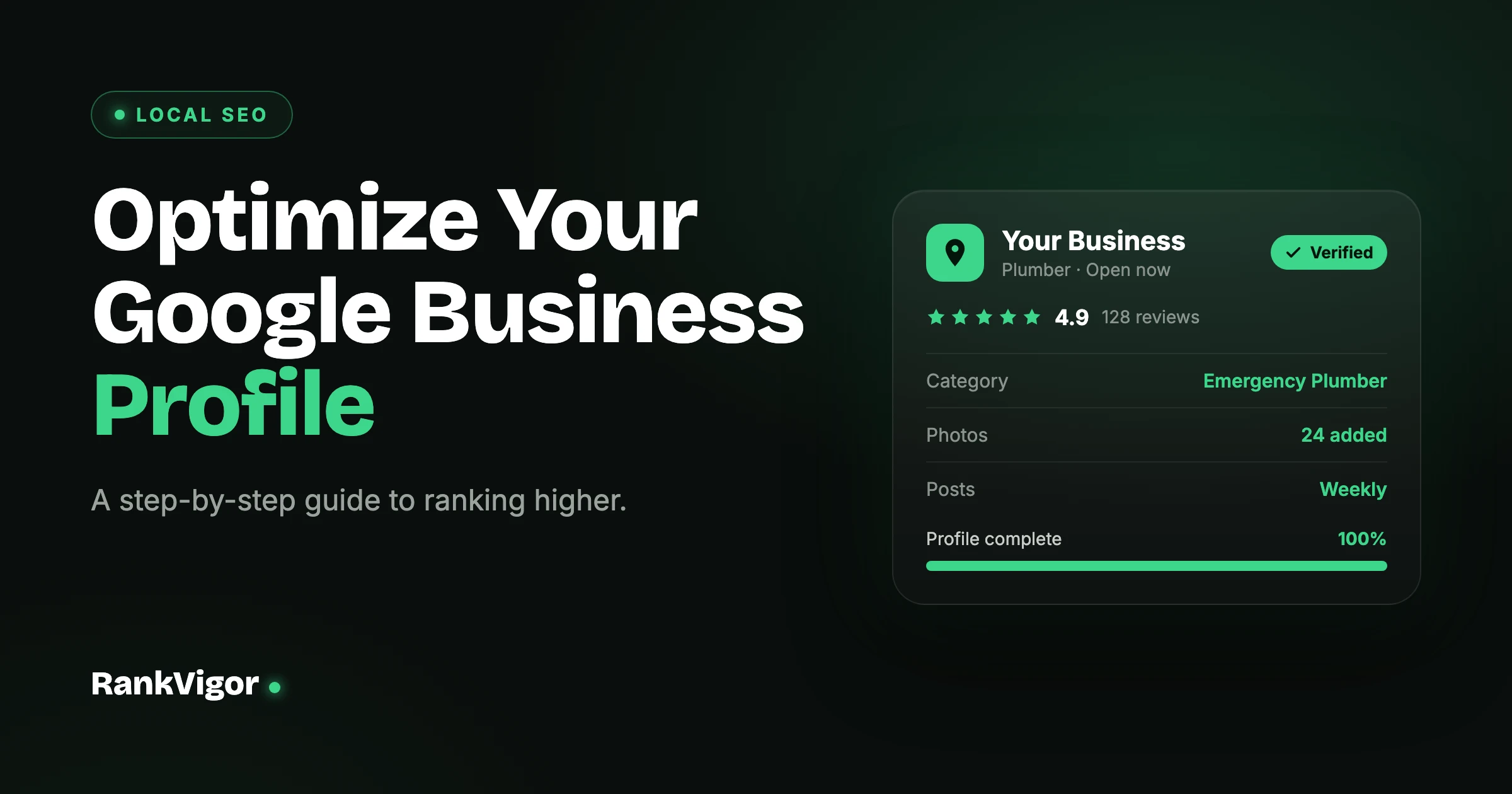
Your Google Business Profile is the single biggest factor in whether you show up when local customers search. A half-finished profile barely ranks. A fully optimized one shows up in the map pack, earns clicks, and turns searches into phone calls. Here’s how to optimize every part of it, step by step.
Bright Smile Dental
Verified
Verification method
Claim and Verify Your Profile First
None of this works until your profile is verified. An unverified profile can’t be edited, won’t rank reliably, and is vulnerable to anyone else editing it. If you haven’t claimed yours yet, search for your business name on Google, click “Claim this business,” and follow the verification steps — usually a postcard, phone call, or video.
If your business doesn’t appear at all when you search for it, that’s a different problem. Work through why your business isn’t showing on Google Maps first, then come back here.
Bright Smile Dental
4.9 · 127 reviews
Dentist · Open now · 0.4 mi
124 Main St, Austin, TX 78701
(512) 555-0148
Complete Every Single Section
Google rewards complete profiles, and most businesses leave money on the table by skipping fields. Fill in everything: business name, address, phone, website, hours, opening date, services, attributes, and payment methods. A profile that’s 100% complete sends a clear signal that your business is real, active, and trustworthy.
Be precise with the details that matter most. Your business name should be your actual name — don’t stuff it with keywords like “Best Plumber Sydney,” which violates Google’s guidelines and can get you suspended. Keep your hours accurate, including holiday hours, because nothing frustrates a customer more than a wasted trip.
Primary category
Secondary categories
“Healthcare” — too broad to rank
Choose the Right Business Categories
Your primary category is one of the strongest ranking signals on your entire profile. It tells Google exactly what you do and which searches to show you for. Pick the most specific category that fits — “Emergency Plumber” beats the generic “Plumber” if that’s your focus. Then add relevant secondary categories to cover your full range of services.
Don’t over-add categories you don’t actually serve. A handful of accurate categories outperforms a long list of loosely related ones. Look at what your top-ranking competitors use, then choose categories that genuinely match what your customers search for.
Write a Description That Earns the Click
Your business description doesn’t directly move rankings, but it converts browsers into customers. Use the full space you’re given to explain what you do, who you serve, and what makes you different. Lead with your core service and location, then naturally work in the terms your customers actually search for.
Write for people first. A description that reads like a keyword list is off-putting and does nothing for trust. Aim for clear, confident language that answers the question every searcher is asking: why should I choose you?
Add Photos — And Keep Adding Them
Profiles with photos get noticeably more clicks, direction requests, and calls than those without. Upload a strong cover image, your logo, real photos of your team, your work, your storefront, and your products. Authentic photos beat stock images every time — customers can tell the difference.
This isn’t a set-and-forget task. Add fresh photos regularly, even just a few a month. Consistent new photos signal an active, healthy business, and they give returning searchers a reason to look again.
4.9 ★ · 127 reviews · +3 this week
Sarah M.
“Best dentist in Austin — booked online and barely waited. The whole team was great.”
Owner reply · Thanks Sarah! See you at your next visit.
Get Reviews — and Respond to Every One
Reviews are one of the most powerful ranking and conversion signals you have. The number of reviews, how recent they are, and your overall rating all influence where you appear. Make asking for reviews part of your routine: a simple follow-up text or email with a direct review link works far better than hoping customers remember.
Then respond to all of them — good and bad. Thank happy customers by name, and answer negative reviews calmly and professionally. A thoughtful reply to a one-star review often impresses future customers more than the complaint itself ever hurt you.
Keep Your NAP Consistent Everywhere
Your Name, Address, and Phone number (NAP) need to match exactly everywhere they appear online — your profile, your website, directories, and social pages. When Google finds conflicting information, it loses confidence in which details are correct, and that uncertainty can drag down your ranking.
Audit your listings and fix any mismatches: an old phone number, an abbreviated street name, a previous address. Consistent citations across the web reinforce that your business is legitimate and exactly where you say it is.
Use Posts, Q&A, and Products
Google gives you free tools that most competitors ignore. Publish Google Posts — offers, updates, events — to keep your profile active and put fresh content right in front of searchers. Seed your Q&A section with the real questions customers ask, and answer them yourself before someone else does.
If you sell products or services, list them with descriptions and prices. These features fill out your profile, give customers more reasons to engage, and reinforce to Google that your business is active and well-maintained.
Proximity · searcher distance affects rank
Understand What Optimization Can’t Change
One honest caveat: proximity matters. Google shows searchers businesses near them, so you’ll naturally rank higher for people close to your location and lower for those farther away. No amount of optimization overrides physical distance entirely.
What optimization does do is win you every ranking factor you can actually control — so that when a customer is in range, you’re the obvious choice over your competitors. For the bigger picture on map rankings, see our guide on how to improve your Google Maps ranking.
This week
This month
Keep doing
Where to Start
Don’t try to do everything in one sitting. Work through it in this order:
- Claim and verify your profile (nothing works without this)
- Complete every section and choose accurate categories
- Upload real, high-quality photos
- Set up a system to request reviews — then respond to every one
- Fix NAP inconsistencies across the web
- Post regularly and keep the profile active
Your Google Business Profile is one piece of a bigger local SEO picture. Once it’s optimized, work through our full local SEO checklist for 2026 to cover citations, on-page signals, and your website. And if your site itself isn’t ranking, start with why your website isn’t ranking on Google.
Frequently Asked Questions
How long does it take to see results from optimizing my profile?
Most businesses see movement within a few weeks of completing and actively maintaining their profile, but it varies. Reviews and consistent activity compound over time, so the profiles that win are the ones kept active month after month — not optimized once and forgotten.
Does my business description affect my ranking?
Not directly. Your description mainly influences whether searchers choose you, not where you appear. Your category, reviews, NAP consistency, and proximity carry the ranking weight — so spend your description writing time on clarity and persuasion, not keyword stuffing.
Should I put keywords in my business name?
No. Adding keywords like “Best Plumber Sydney” to your business name violates Google’s guidelines and can get your profile suspended. Use your real business name and let your categories, services, and reviews do the ranking work instead.
How often should I post on my Google Business Profile?
Aim for at least one post a week. Regular posts — offers, updates, events — keep your profile active and put fresh content in front of searchers. Consistency matters more than volume, so a steady weekly rhythm beats an occasional burst.